- 10 November 25
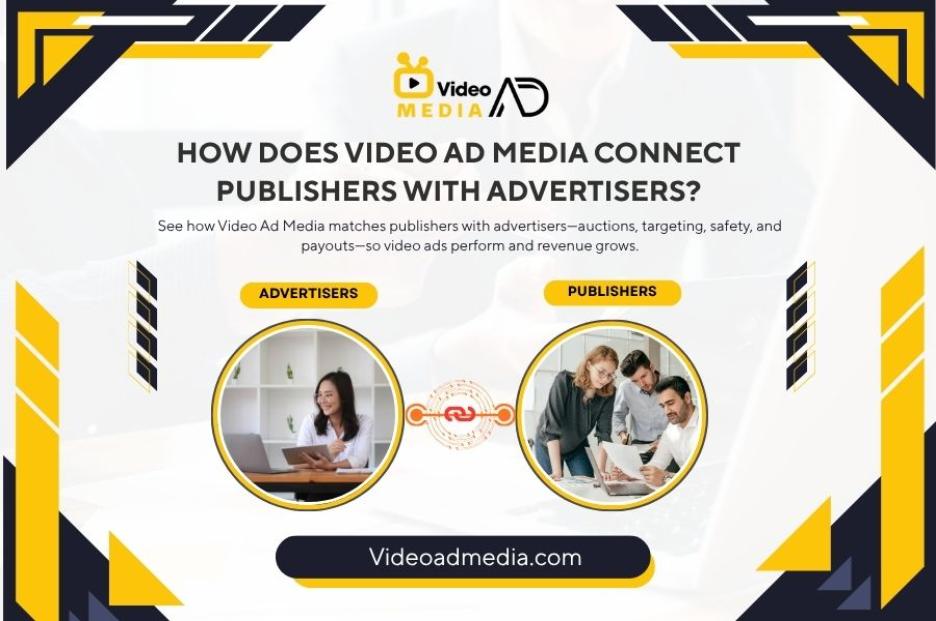
How Does Video Ad Media Connect Publishers with Advertisers?
How Does Video Ad Media Connect Publishers with Advertisers? (Simple, Startup-Friendly Guide)
Video Ad Media sits in the middle of the ecosystem. It brings publisher inventory (websites, apps, CTV/OTT) and advertiser demand (brands, agencies, startups) into one workflow. It handles onboarding, ad serving, auctions, targeting, brand safety, reporting, and payouts—so ads run smoothly, safely, and profitably for both sides.
1) What problem does Video Ad Media solve?
-
Publishers need steady revenue without ruining the user experience.
-
Advertisers need results (reach, ROAS, leads, sales) without wasting spend.
-
Video Ad Media provides the matchmaking engine: it collects demand, standardizes supply, and optimizes delivery so the right video ad reaches the right audience at the right moment—automatically.
Outcome: Publishers earn more per impression; advertisers get measurable outcomes; users see more relevant, brand-safe video ads.
2) Who are the players? (Fast primer)
-
Publishers: Sites, apps, and streaming/CTV channels with video ad slots.
-
Advertisers: Brands, agencies, startups, and e-commerce stores buying video reach.
-
Video Ad Media (the network):
-
Onboards both sides.
-
Operates ad serving and auctions.
-
Adds targeting, fraud prevention, and measurement.
-
Handles invoicing and payouts.
-
3) The connection flow: step by step
Step 1: Onboarding
-
Publishers integrate a tag/SDK or server-side wrapper. They declare ad sizes, placements, and content categories.
-
Advertisers set goals (awareness, traffic, ROAS, leads), budgets, geos, and creative specs (length, aspect ratio, captions).
Step 2: Inventory & Demand Normalization
-
Video Ad Media classifies inventory (web, in-app, CTV/OTT, short-form vs pre-roll/mid-roll).
-
It normalizes demand sources (direct buys, programmatic bidders, managed campaigns) so they can fairly compete for each impression.
Step 3: Ad Request → Auction
-
A user hits a page/app/stream with an ad slot.
-
The publisher sends an ad request (context, device, geo, consent flags).
-
Video Ad Media runs a real-time auction across eligible campaigns and demand partners.
-
The highest quality bid that meets brand-safety rules wins.
Note: “Highest quality” is not only price. Suitability, viewability predictions, user experience, and frequency caps also matter.
Step 4: Delivery & Tracking
-
The winning video ad is served.
-
Viewability, quartile views (25/50/75/100%), clicks, and post-view signals are tracked.
-
Frequency caps and pacing controls ensure sustainable delivery.
Step 5: Learning & Optimization
-
Algorithms evaluate creative performance, placements, audiences, and times of day.
-
Budget shifts toward high-attention, high-completion, and high-conversion segments.
-
Under-performing combinations get throttled or paused.
4) Targeting & optimization (how the right ad meets the right user)
Contextual signals: page/app category, keywords, video genre, CTV channel type.
Geo & device: country, region, city; mobile/desktop/TV; OS and connection type.
Privacy-safe audiences: consented first-party lists, modeled lookalikes, interest cohorts.
Attention & viewability modeling: predicts which placements are likely to be watched longer.
Frequency & recency controls: avoid ad fatigue; boost useful reminders.
Creative rotation: test hooks, captions, aspect ratios (vertical, square, 16:9).
Outcome optimization: optimize for ThruPlay/completed views, CTR, add-to-cart, trials, leads, or revenue.
5) Brand safety, privacy, and compliance (non-negotiables)
-
Brand suitability: category filters, allow/block lists, contextual screening.
-
Fraud prevention: IVT detection, domain/app verification, pre-bid/post-bid checks.
-
Privacy: consent strings honored; cookie-less strategies; minimal data, maximum relevance.
-
Creative QA: length, loudness, autoplay rules, captions/subtitles, click-through checks.
-
Claims diligence: ad copy aligned with landing page; restricted categories screened.
Result: Safer placements for advertisers; safer monetization for publishers.
6) Reporting, billing, and payouts (trust + transparency)
Unified dashboards:
-
Impressions, viewable impressions, view rates, CTR.
-
Attention metrics (e.g., average watch time, quartile completion).
-
Conversions and assisted conversions (post-view, post-click).
-
Breakdown by supply (site/app/CTV), geo, device, creative, and hour of day.
Finance layer:
-
Advertisers: invoices, budgets, pacing, credit limits, receipts.
-
Publishers: verified earnings, hold periods, and on-time payouts.
Why it matters: Clear numbers build trust, reduce disputes, and speed up scaling.
7) Simple launch recipes
A) For Publishers (add high-quality video demand fast)
-
Map placements: pre-roll/mid-roll, in-feed, rewarded, or out-stream.
-
Integrate tags/SDK: test in staging; confirm viewability and page speed.
-
Set rules: content categories, max ads per page, frequency caps.
-
Monitor UX: measure LCP/CLS; keep ads fast and unobtrusive.
-
Optimize: allow premium categories, expand geo/device coverage, test layout.
Goal: Increase revenue per mille (RPM) without harming user experience.
B) For Advertisers (prove ROI, then scale)
-
Define the outcome: completed views → site visits → trials/leads/sales.
-
Upload variations: 3–5 videos (different hooks and lengths).
-
Targeting: start broad contextual + geo; add lookalikes/retargeting later.
-
Budget & pacing: daily limits; protect learning; avoid premature cuts.
-
Optimize weekly: rotate creatives, adjust frequency, shift budgets to winners.
-
Scale: add CTV/OTT, broaden geos, and layer in day-parting.
8) KPIs and benchmarks to watch
-
Viewability: 60–80%+ on quality placements.
-
25% / 50% / 100% completion rates: compare across placements and lengths.
-
CTR (where clickable): improve with strong captions and on-screen CTAs.
-
Cost per completed view (CPCV): key for awareness and video retention.
-
Post-view impact: brand search lift, retargeting efficiency, assisted conversions.
-
For performance campaigns: CPA/CAC, ROAS, qualified lead rate (MQL/SQO).
Tip: Treat creative as the main growth lever. Test hooks weekly; retire fatigue early.
9) FAQs (AEO-friendly)
Q1: Is Video Ad Media only for big brands?
No. It’s useful for startups and SMEs that want pro-level placements without building a large in-house team.
Q2: Can publishers control which ads appear?
Yes. With brand-safety categories, allow/block lists, and placement rules, publishers keep control.
Q3: How are conversions tracked from video?
Through UTMs, pixels, server-side events, and post-view logic that respects privacy settings.
Q4: Does it support short-form and CTV?
Yes. Inventory is normalized across short-form, web/app pre-roll, and CTV/OTT so advertisers can diversify and compare performance.
Q5: What if an ad loads slowly?
The ad server and CDN pipelines are optimized for speed; low-latency delivery, viewability checks, and fallback logic protect user experience.
10) Conclusion: why VideoAdMedia.com is a strong pick
Connecting publishers and advertisers is about relevance, safety, and measurable outcomes. Video Ad Media streamlines the whole journey—from onboarding and auctions to optimization and payouts—so both sides can grow with confidence.
If you want a single, startup-friendly place to create, launch, and manage video campaigns across web, apps, and CTV—while giving publishers reliable monetization—VideoAdMedia.com is a top advertising platform to consider.
Latest Blog
Cheapest Video Advertising Service 2026
26 January 26
Best Facebook Video Campaign Services
29 December 25
Best TikTok Ad Campaign Services in 2026
22 December 25